Claude Plugin
Mapped in Claude
The Mapped plugin lets Claude answer questions about your buildings, floors, spaces, equipment and points from your own Mapped data, in plain language. It is listed in Claude's directory, so there is nothing to download or configure.
Install
Claude
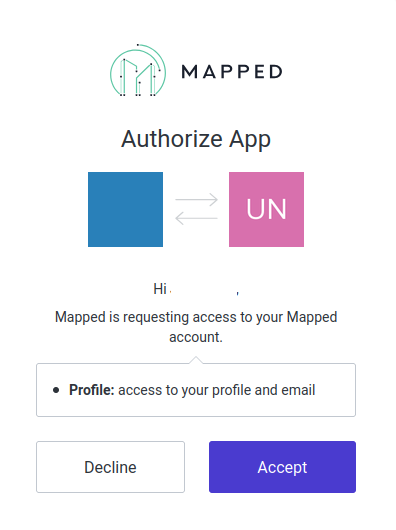
- In Claude, open Customize at claude.ai/customize/plugins.
- Search for mapped.
- Add the mapped connector by Mapped.
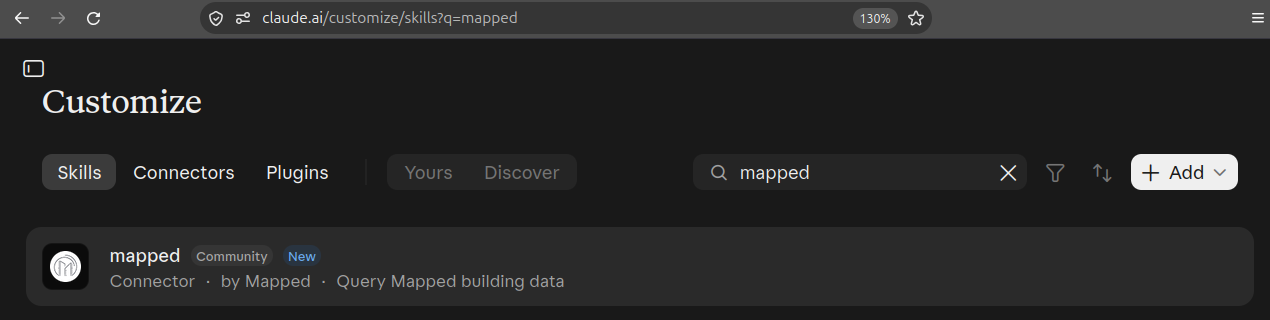
Authentication is OAuth. When you add it or first use it, Claude opens the Mapped login page. Sign in with your Mapped account (email address, passkey, Microsoft account or GitHub) and approve access. There is no API key or token to create or paste, and Claude stores and refreshes the sign-in for you.
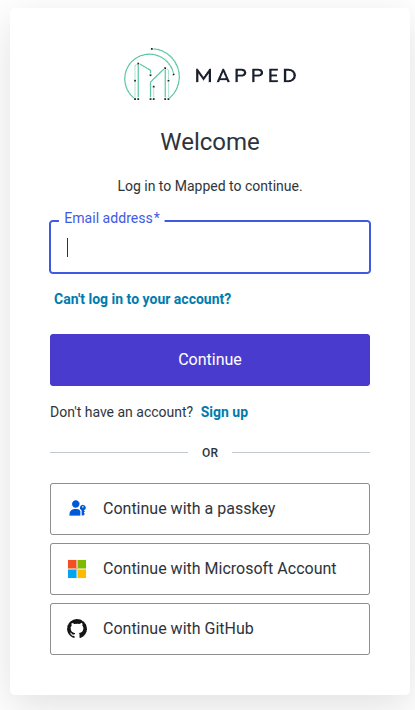
After you log in, Mapped asks you to authorize the app. It requests access to your profile and email. Select Accept to continue.
Claude Code
There is nothing separate to install. Connectors you add in Claude are also available in Claude Code, in the terminal and in cloud sessions, when you sign in with your Claude account.
- In claude.ai, open Customize → Connectors, find the mapped connector and click Connect. Finish the Mapped sign-in.
- In Claude Code, make sure you are logged in with the same Claude account, not an API key.
- Run /mcp in a session. It shows the live connection status, the available tools and any authentication prompts.
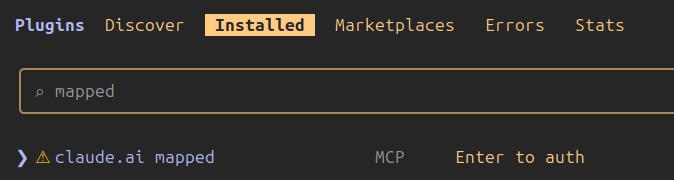
Mapped is also listed in Claude Code's plugin manager. Run /plugin, open the Installed tab and look for claude.ai mapped, listed as an MCP server. If it shows Enter to auth, select it to finish signing in.
You need a Mapped account with access to at least one organization. To try it on demo data first, see Enabling & Using the Sandbox.
What's included
The plugin adds one remote server, mapped: Mapped MCP, Mapped's hosted Model Context Protocol server. Through it Claude can:
- generate a Mapped GraphQL query from a request, and optionally run it and return the data;
- explore the Mapped ontology: walk the entity-type hierarchy, search types by tag and read type definitions;
- list the organizations in your Mapped account.
Everything runs as you: the plugin can read, and through GraphQL mutations write, only what your Mapped account is allowed to. See Mapped MCP for the full list of tools.
The plugin contains no hooks, scripts or executables and runs nothing on your machine. Each tool call goes over HTTPS to Mapped's server with your OAuth token, and nowhere else.
Try it
Start a conversation and ask, for example, List the buildings in my organization. For more ideas, see Example Use Cases.