UG-SHELL Guide
Overview
UG-SHELL is a Mapped edge gateway local test and configuration tool, used to troubleshoot connectivity and operational issues, and to adjust settings as needed for a local network. It does not provide a full Linux shell, which helps maintain a more secure environment. Access is provided through SSH to the gateway’s IP address on custom port 23234. If the gateway has multiple network interfaces, UG-SHELL can be reached through any of them.
Linux terminal example:
user@host:~$ ssh <IP Address> -p 23234
Windows terminal example:
C:\Users\User> ssh <IP Address> -p 23234
You will receive a prompt for the SSH host‑key check. Type "yes". You will then be prompted for the password, which can be obtained by emailing [email protected]. If the display does not update to the Mapped Universal Gateway Config screen (Figure 1) within a few seconds, press Enter again. Once UG-SHELL opens, current settings display on the right, and configuration options appear on the left.
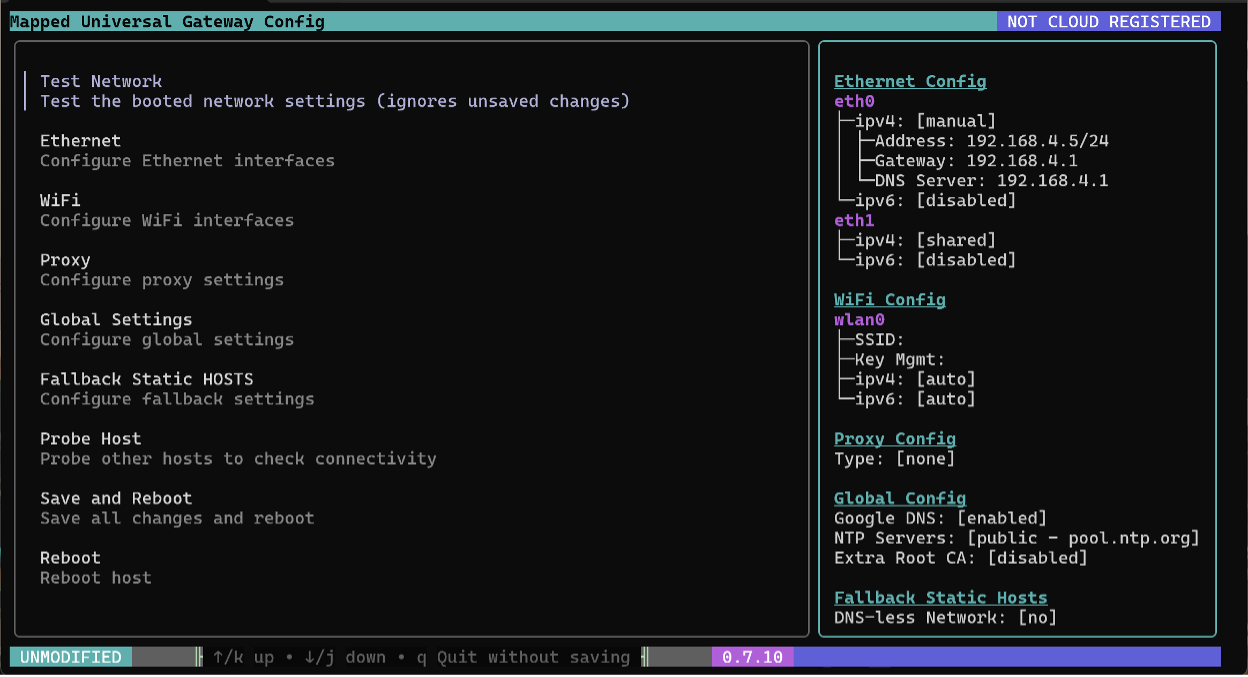 Figure 1 – Mapped Universal Gateway Config
Functions
Test Network
Test Network runs a series of 44 automated tests that check:
- Compatibility of local network settings
- Access to Mapped-hosted BalenaOS configuration and management services
- Access to Mapped’s Microsoft Azure Cloud tenant services
It is the recommended first step when troubleshooting a gateway that looks to already have correct configuration settings.
Ethernet – Configure Ethernet interfaces
This section displays all configuration options for the gateway’s network adapters. Adapter names vary by host:
- Hardware gateways: eth0, eth1
- Windows Server Hyper‑V: eth0, eth1
- VMWare or Linux hosts: names such as ens160, eno1, enp3s0, etc.
Typically, the first adapter is used for the OT/BMS network, and the second for the IT / internet‑facing network. If only one adapter is required (e.g. OT network has Internet access), use the first adapter.
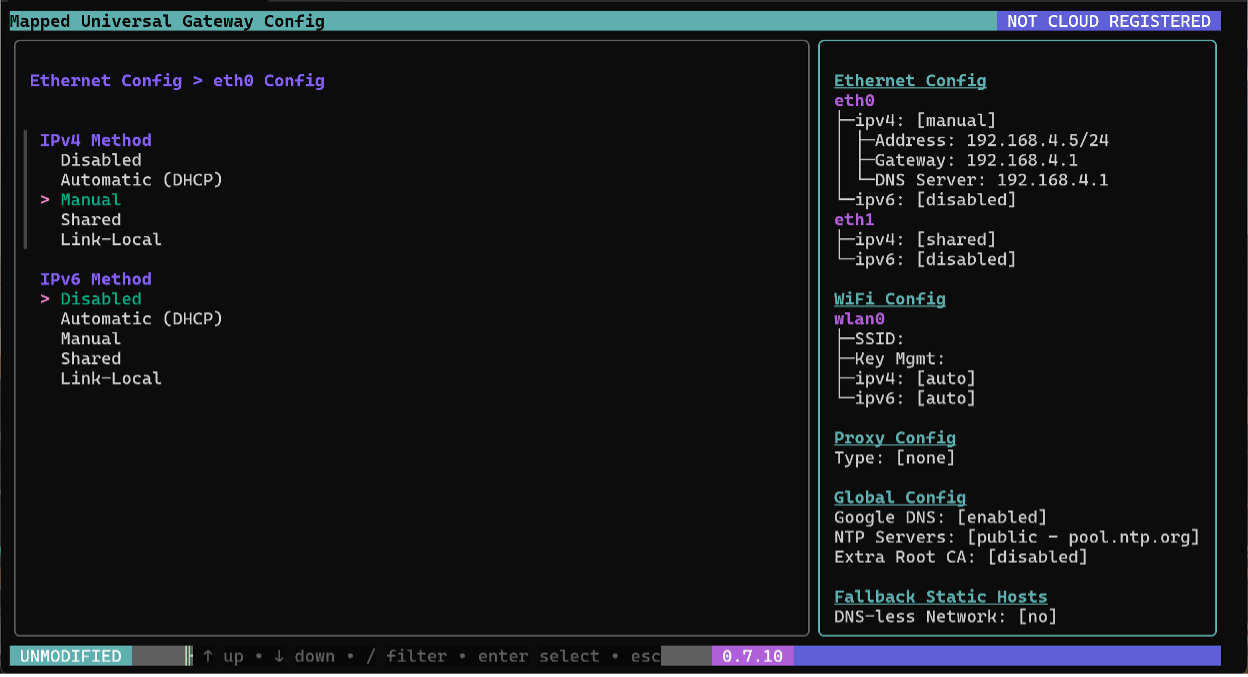 Figure 2 – Ethernet Config > eth0 Config
Configuration Modes (IPv4/IPv6)
- Disabled – Adapter not used.
- Automatic – IP settings obtained via DHCP.
- Manual – User‑defined static IP settings.
- Shared – Creates a local shared network for other devices (typically not used).
- Link‑Local – Auto‑assigned local‑segment address if DHCP fails (typically not used).
For Manual configuration, IP addresses are entered using Classless Inter‑Domain Routing (CIDR) notation (e.g., 192.168.1.10/24). The default gateway follows a comma. DNS server entries follow below.
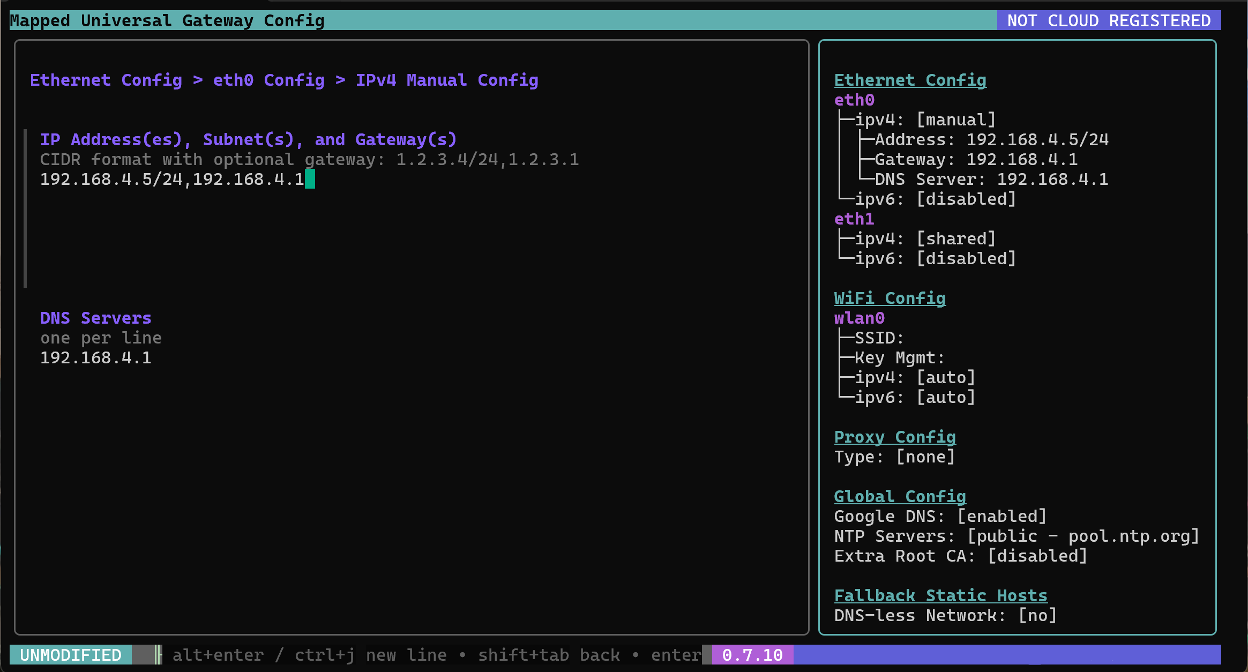 Figure 3 - Ethernet Config > eth0 Config > IPv4 Manual Config
WiFi
WiFi is not currently supported by Mapped gateways, this section can be ignored.
Proxy
A proxy server forwards traffic between the gateway and the internet, often used for security, performance, or controlled access. Supported proxy types include:
- SOCKS4 (TCP)
- SOCKS5 (TCP/UDP)
- HTTP Connect (secure HTTP tunnel)
- HTTP Relay (HTTP request/response forwarding)
Configurable fields include:
- IP or hostname
- Port
- Login
- Password
- IPs and subnets to bypass the proxy
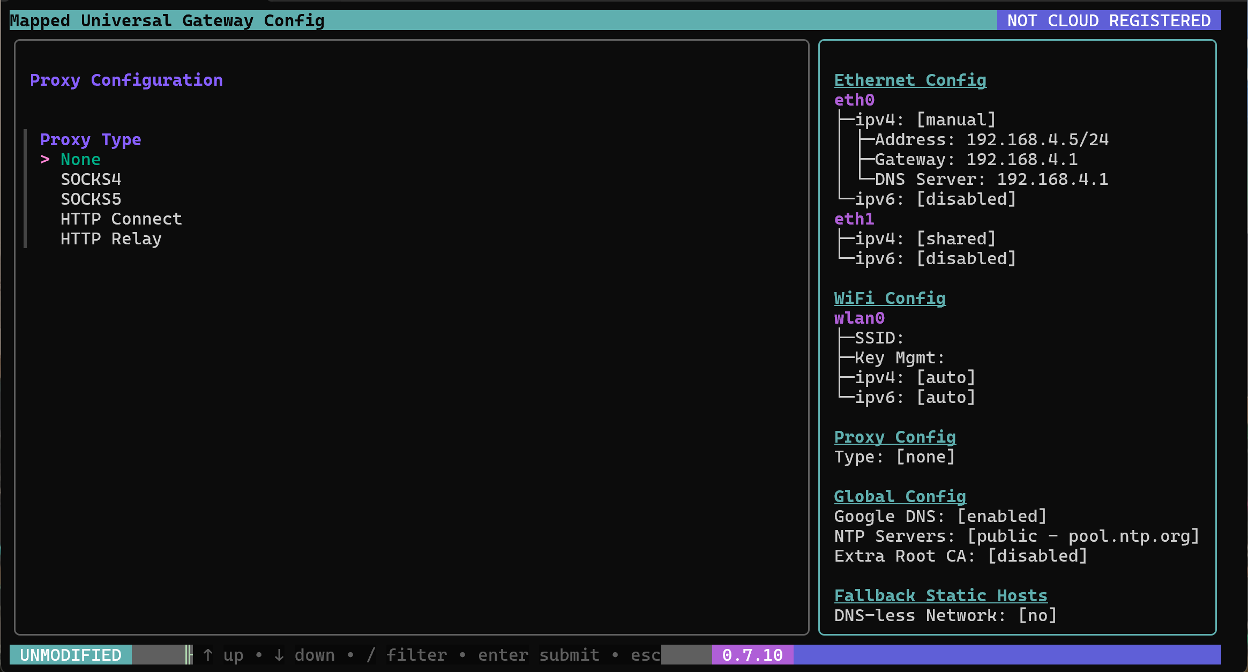 Figure 4 - Proxy Configuration
Global Settings
The Global Settings menu includes fallback and security‑related configuration options:
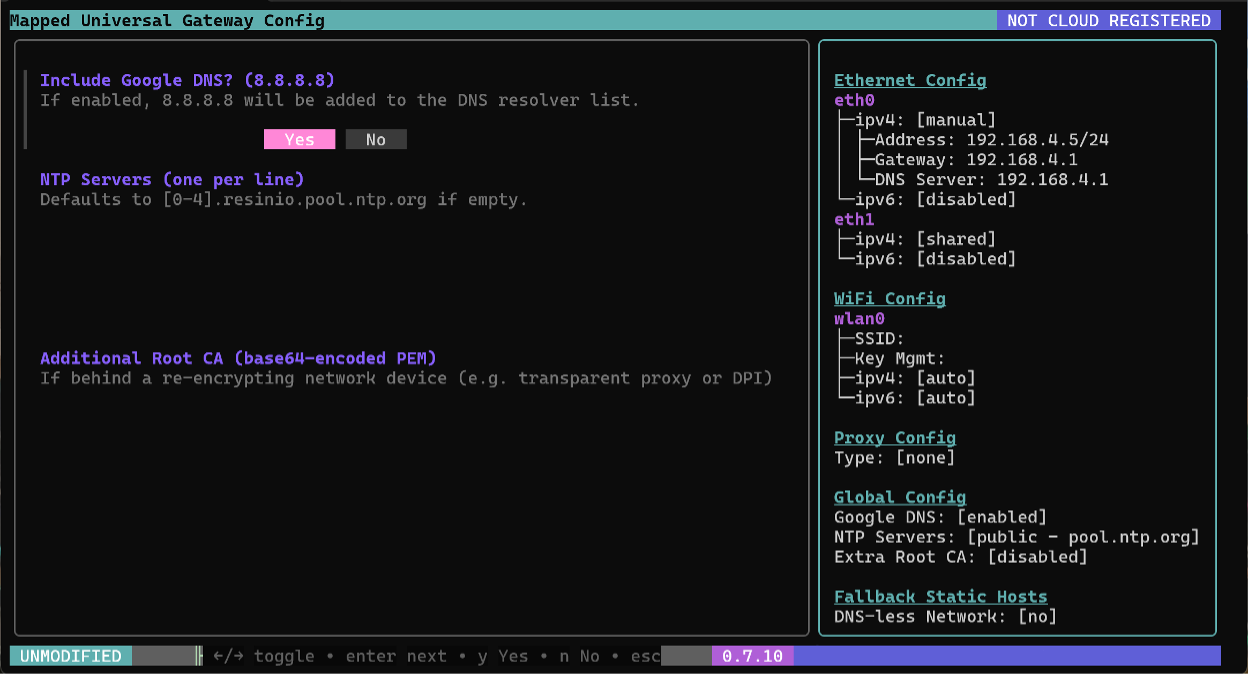 Figure 5 - Global Settings
- Include Google DNS – Enables Google DNS as a fallback if the primary DNS server fails. Default: Yes.
- NTP Servers – Network Time Protocol servers synchronize the gateway’s system clock. Accurate timekeeping is critical for logging, security, and reliable system operations. Default uses a server from pool.ntp.org.
- Additional Root Certificate Authority (CA) – PEM (base64) – Adds root CA certificates when the gateway is behind a re‑encrypting device such as a transparent proxy or Deep Packet Inspection (DPI) system.
Fallback Static HOSTS
Fallback Static HOSTS allows the gateway to bypass DNS resolution and use static entries to reach Mapped cloud services.
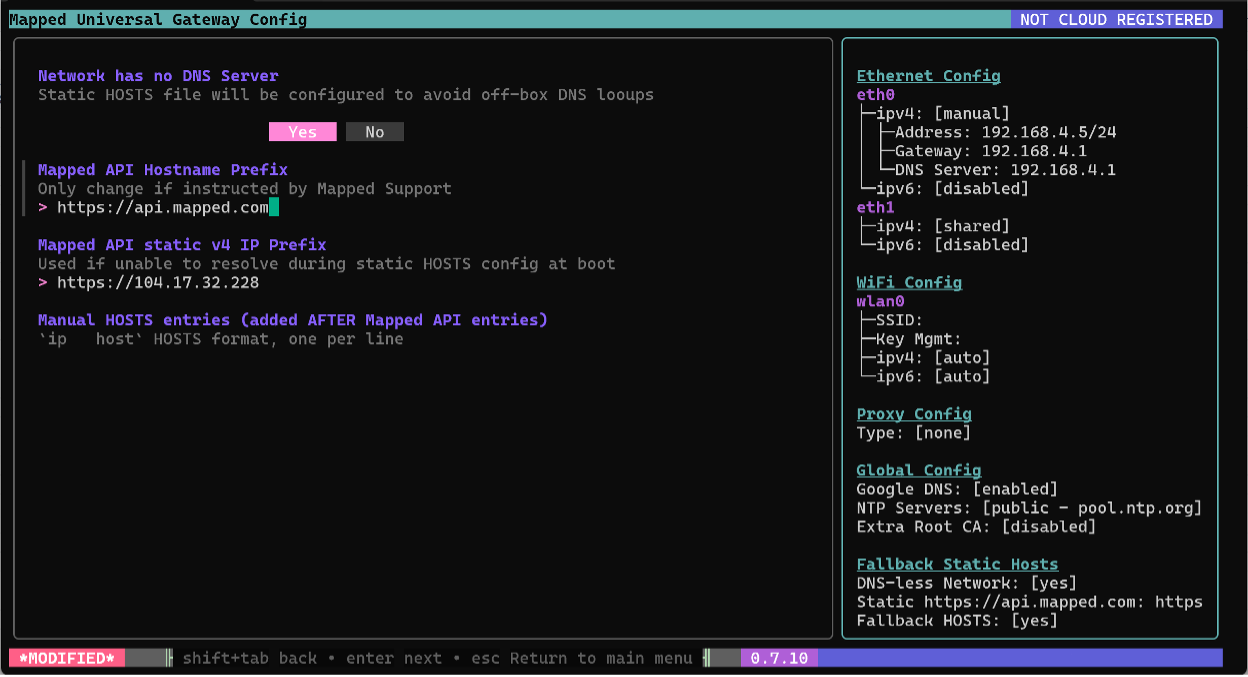 Figure 6 - Fallback Static HOSTS
- Network has no DNS Server – Enables static host entries when no reliable DNS service is available.
- Mapped API Hostname Prefix – Specifies the Fully Qualified Domain Name (FQDN) for the Mapped API.
- Mapped API Static v4 IP Prefix – Fixed public IPv4 address for the Mapped API.
- Manual HOSTS entries – Additional static host mappings required for operation. Full lists can be requested at [email protected].
Probe Host
Probe Host is a diagnostic tool that sends targeted requests to a network host to confirm connectivity. Supported protocols:
- TCP (Transmission Control Protocol)
- UDP (User Datagram Protocol)
- TLS (Transport Layer Security)
Enter a host IP or hostname followed by a colon and port (e.g., 10.10.10.5:443). Select protocol, specify a timeout (default: 10 seconds), and choose Yes to attempt a connection. This tool works well with packet capture tools such as Wireshark.
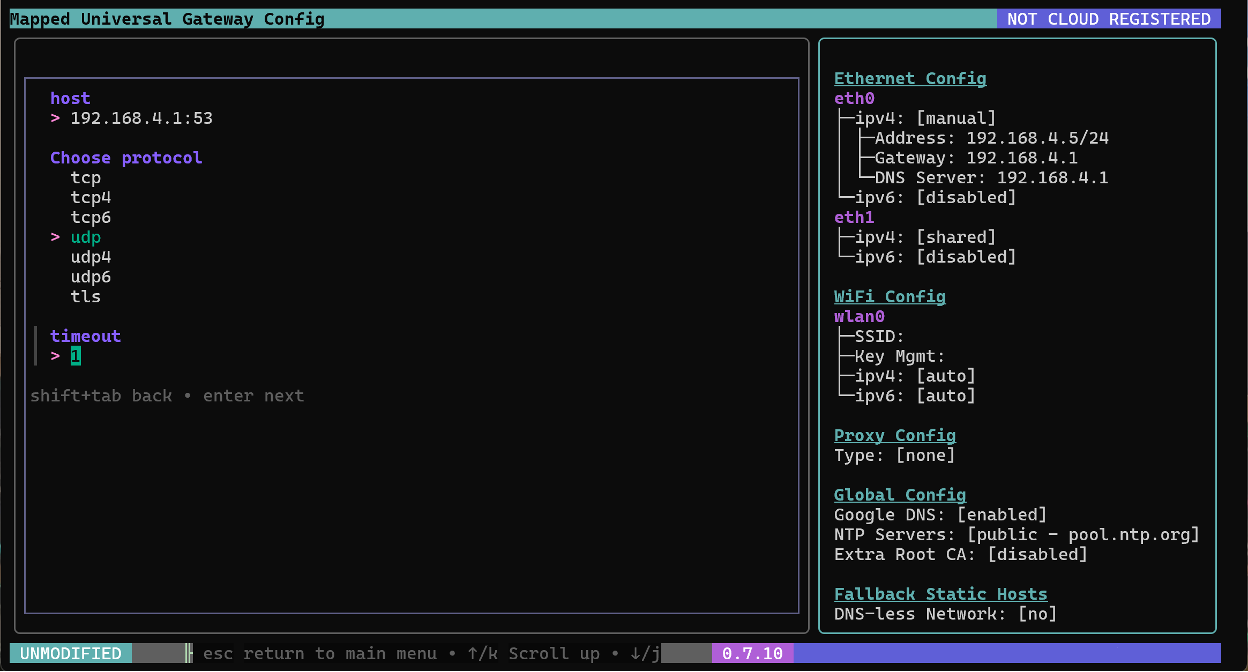 Figure 7 - Probe Host
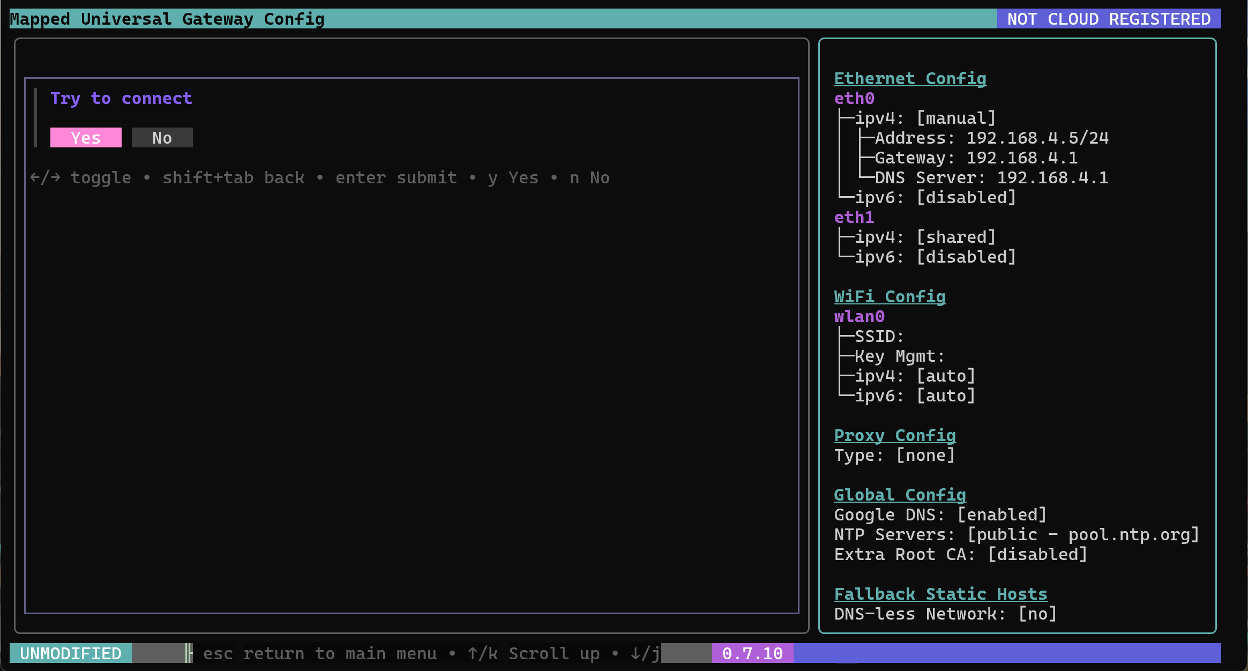 Figure 8 - Probe host > Try to connect
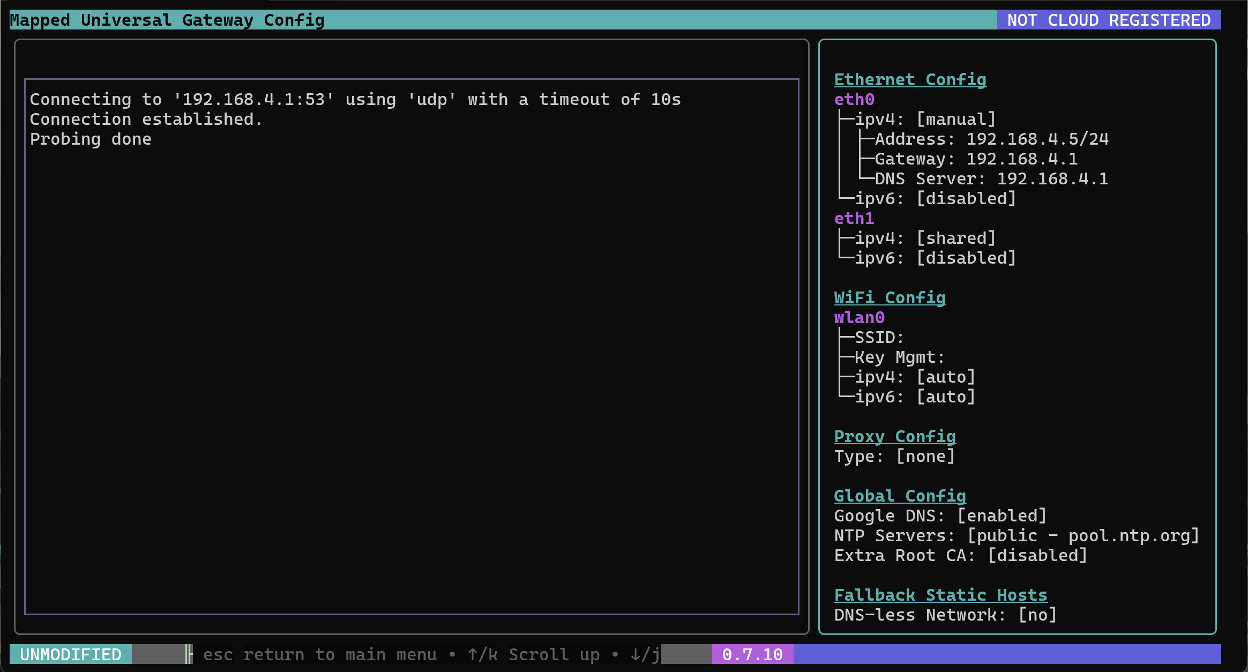 Figure 9 - Probe Host > Try to Connect > Connection Established
Save and Reboot
Saves changes and reboots the gateway.
Reboot
Reboots the gateway without saving changes.